Kindred Reels is now Kindred Scenes. Same app, same films, and your old links still work.

How to collect voice memories for a tribute

A short memory in the voice of someone who knows them is often what people remember most from a tribute. You send a relative a link for one photo. They record up to 30 seconds about it on their phone, and it plays over that photo in the film, with the music turned down.

Steps for:

Before you start

Make the tribute's timeline first. Each photo on the timeline can carry one voice memory. See How to make a tribute.

Invite family to record

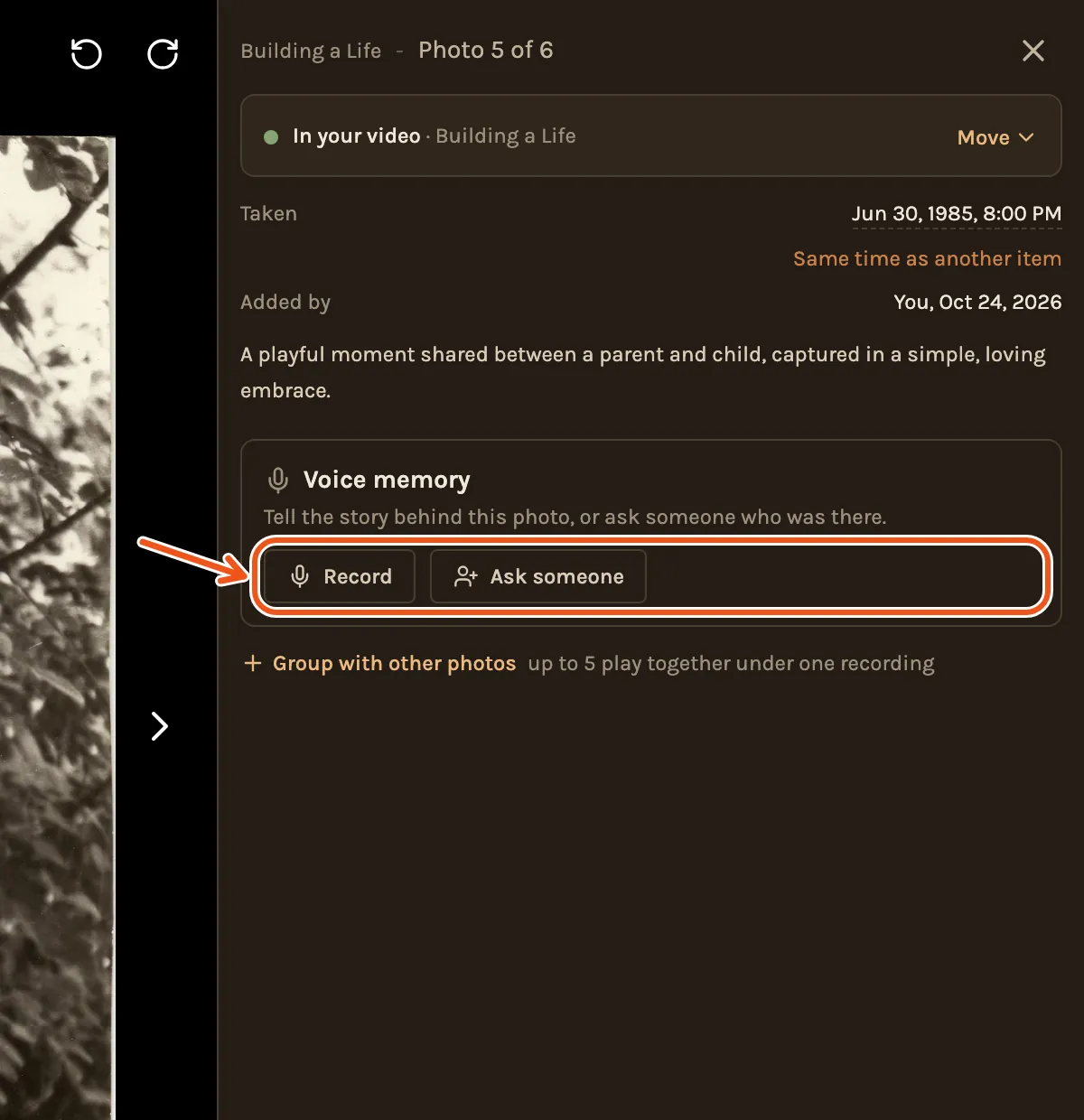
  1. On the Timeline, click a photo. Under Voice memory, click Ask someone to ask someone else, or Record to record one yourself.
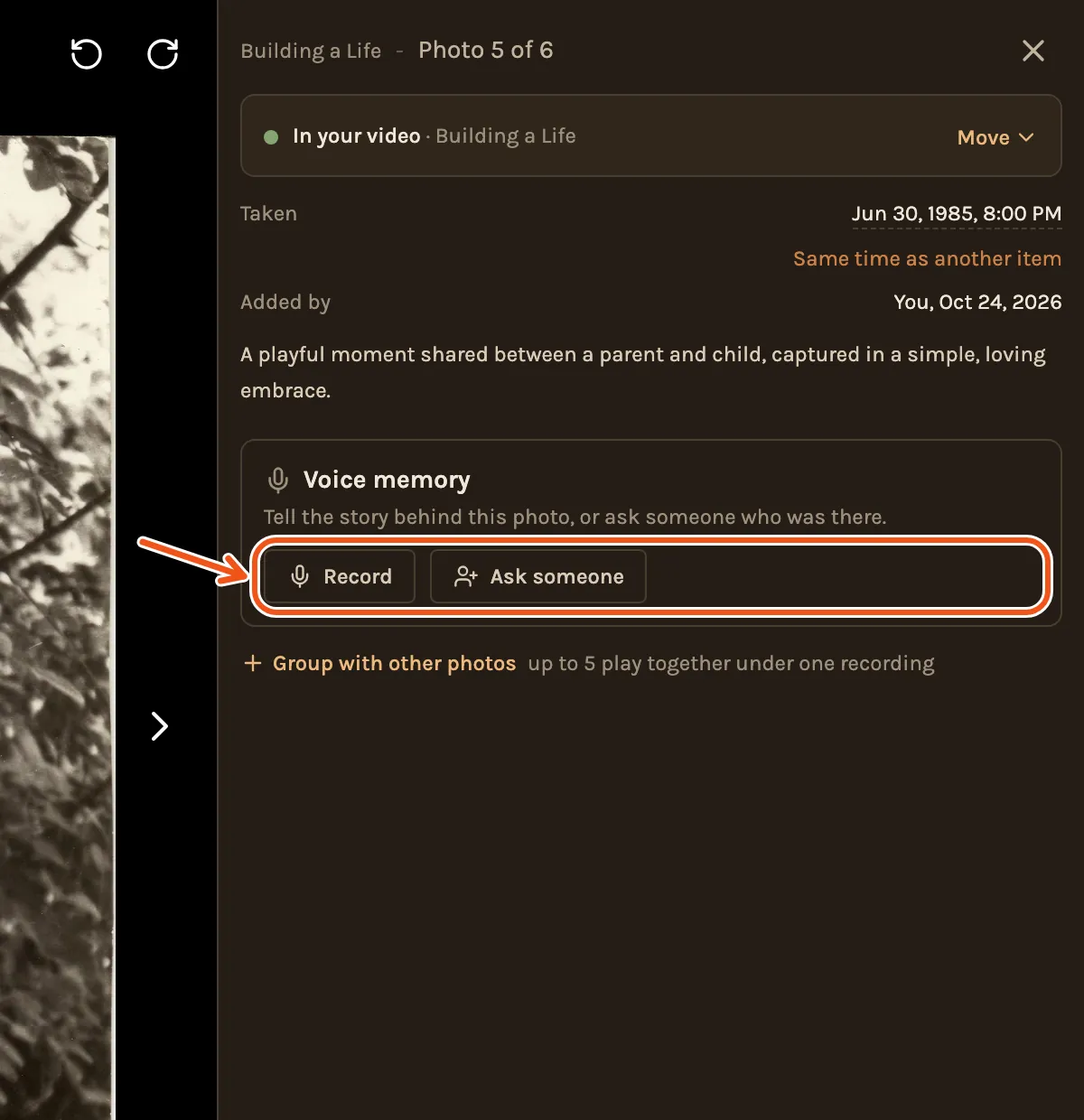
A timeline photo of young Leonid with his baby son on his shoulders opened, its Voice memory card with Record and Ask someone marked.
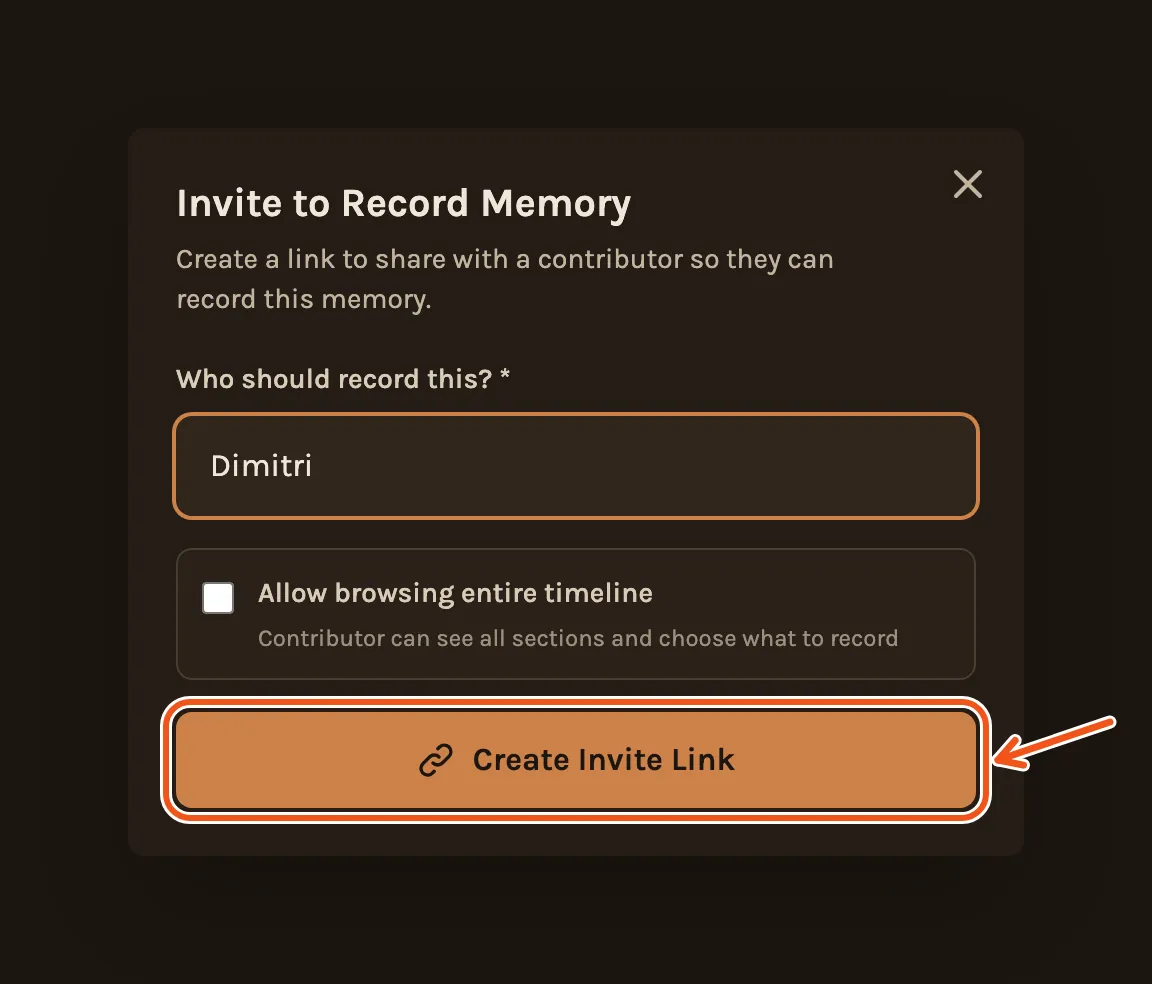
  1. Type who should record and click Create Invite Link.
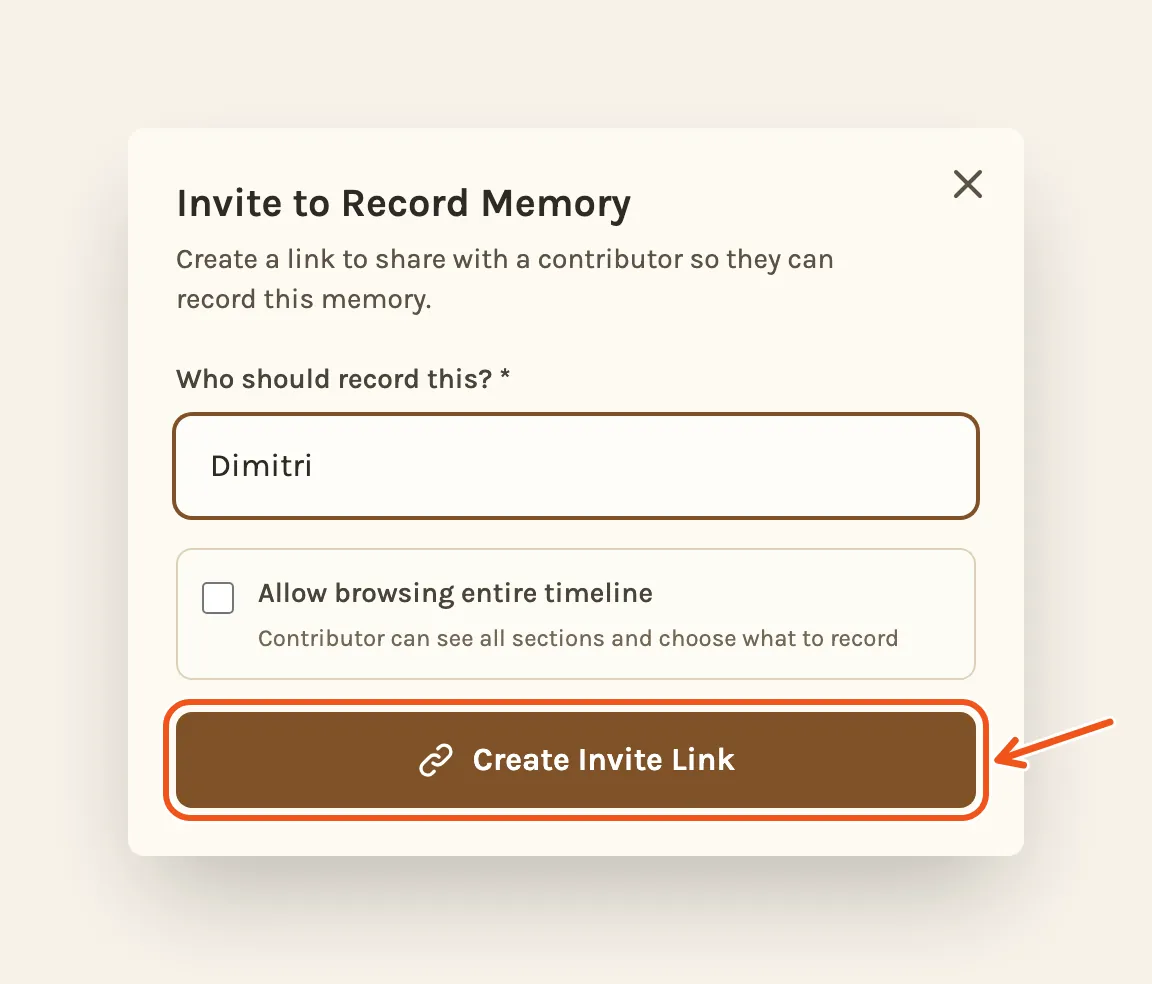
Invite to Record Memory with a name typed in, with Create Invite Link marked.
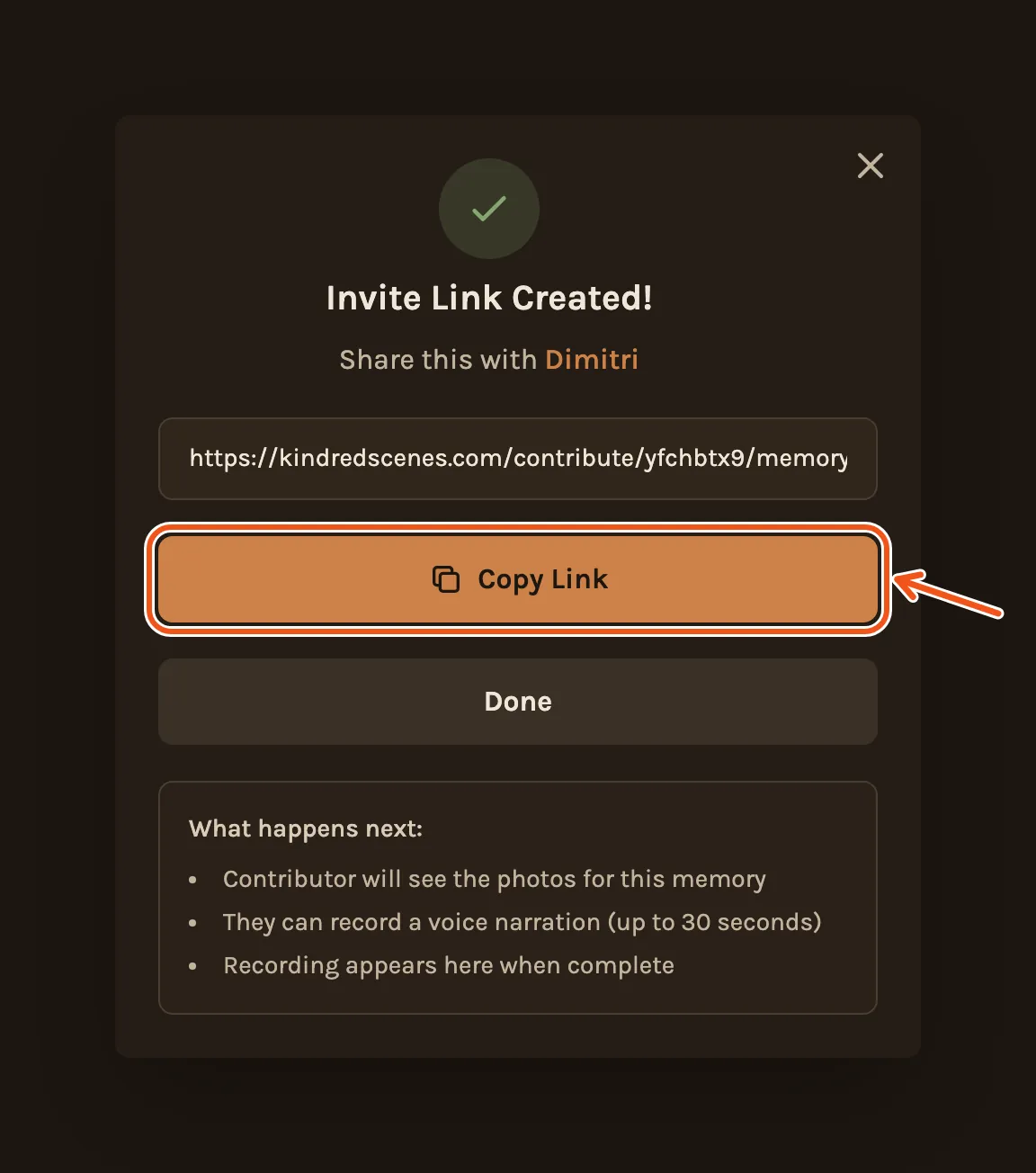
  1. Click Copy Link and send it to them by text or email.
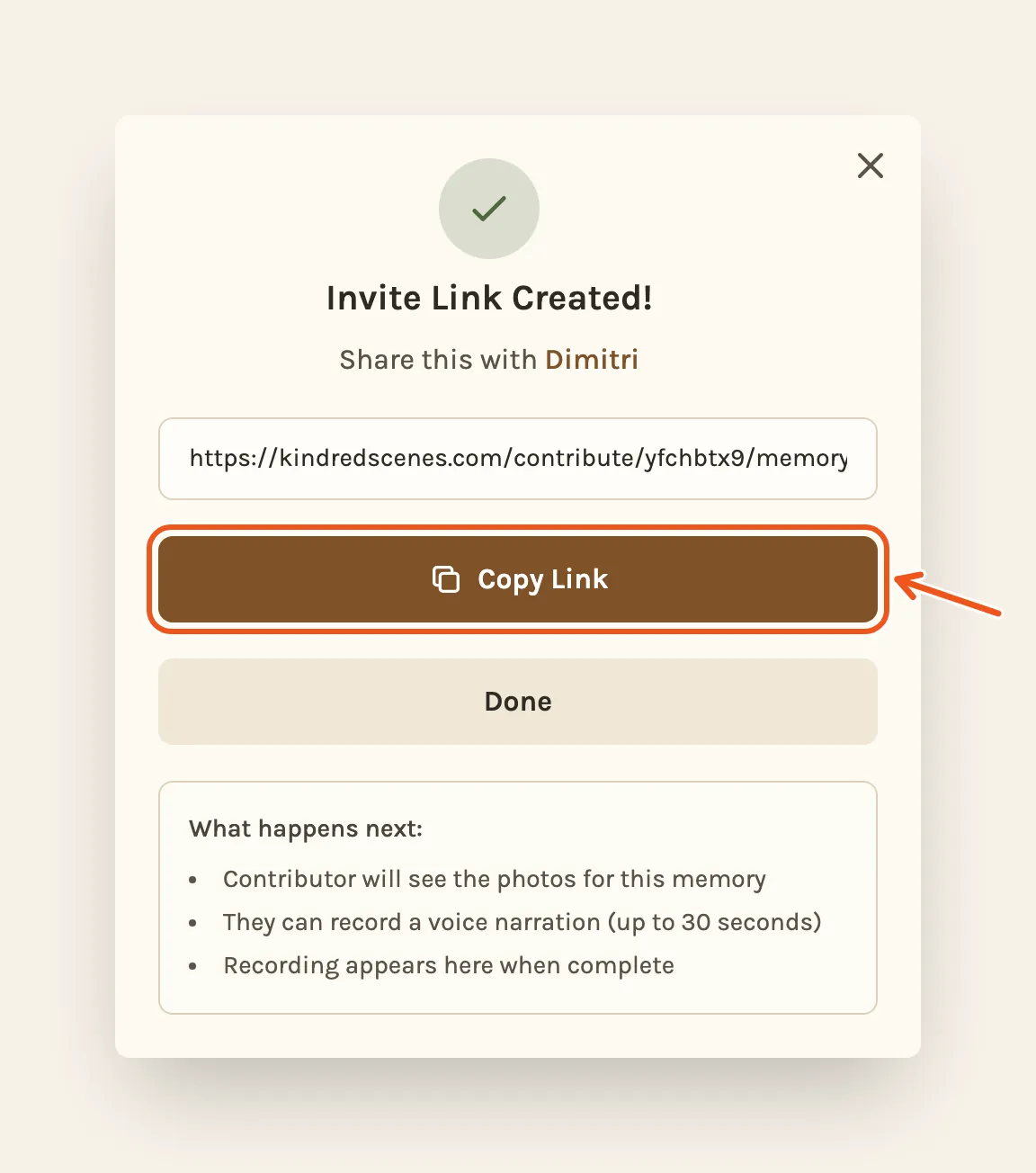
Invite Link Created! Share this with Dimitri, with Copy Link marked.

Open the project on a computer to send the link.

Each link is for one person and one photo. To ask someone else, make another link.

What they see

They open the link on their phone, with no app and no account. They see the photo and tap Record Memory.
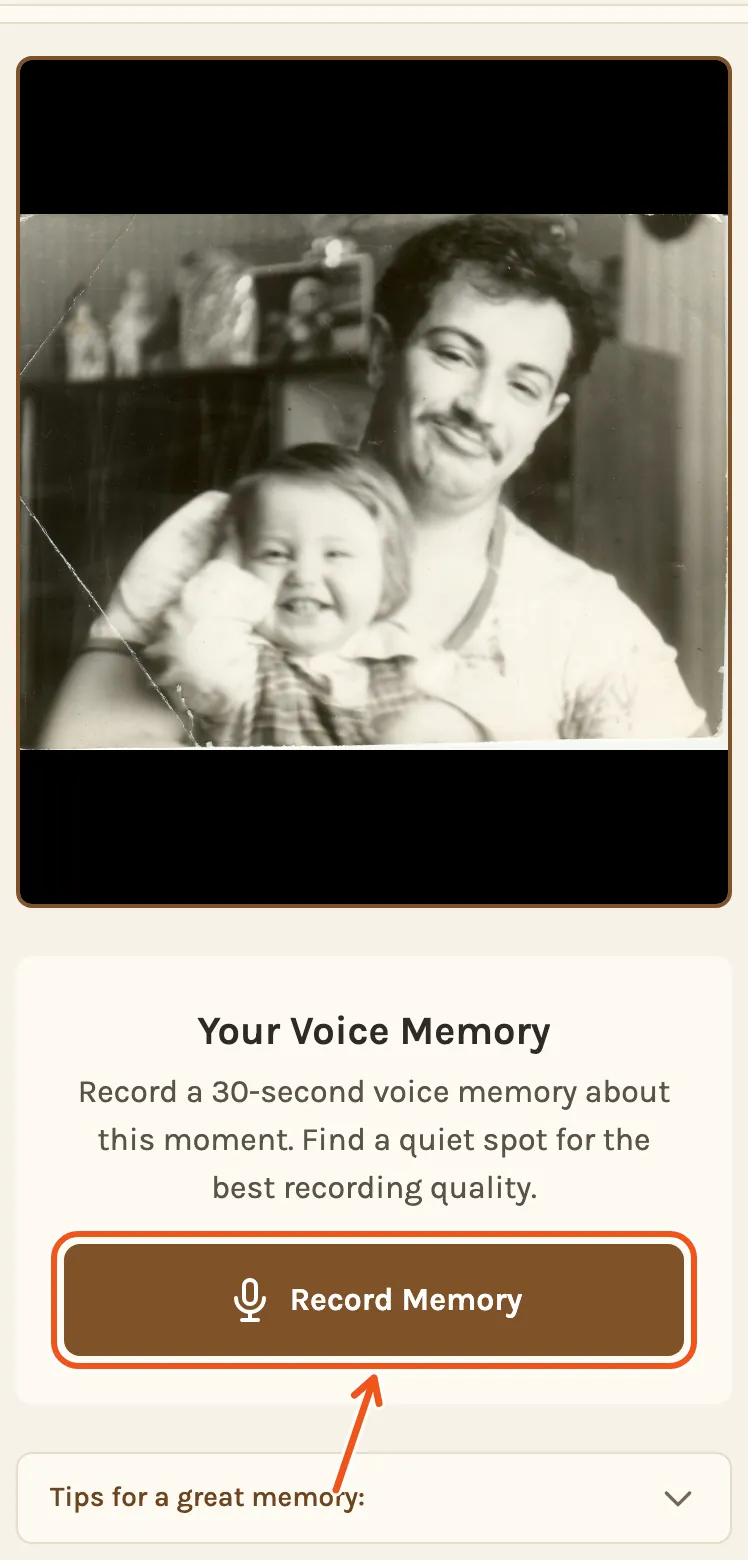
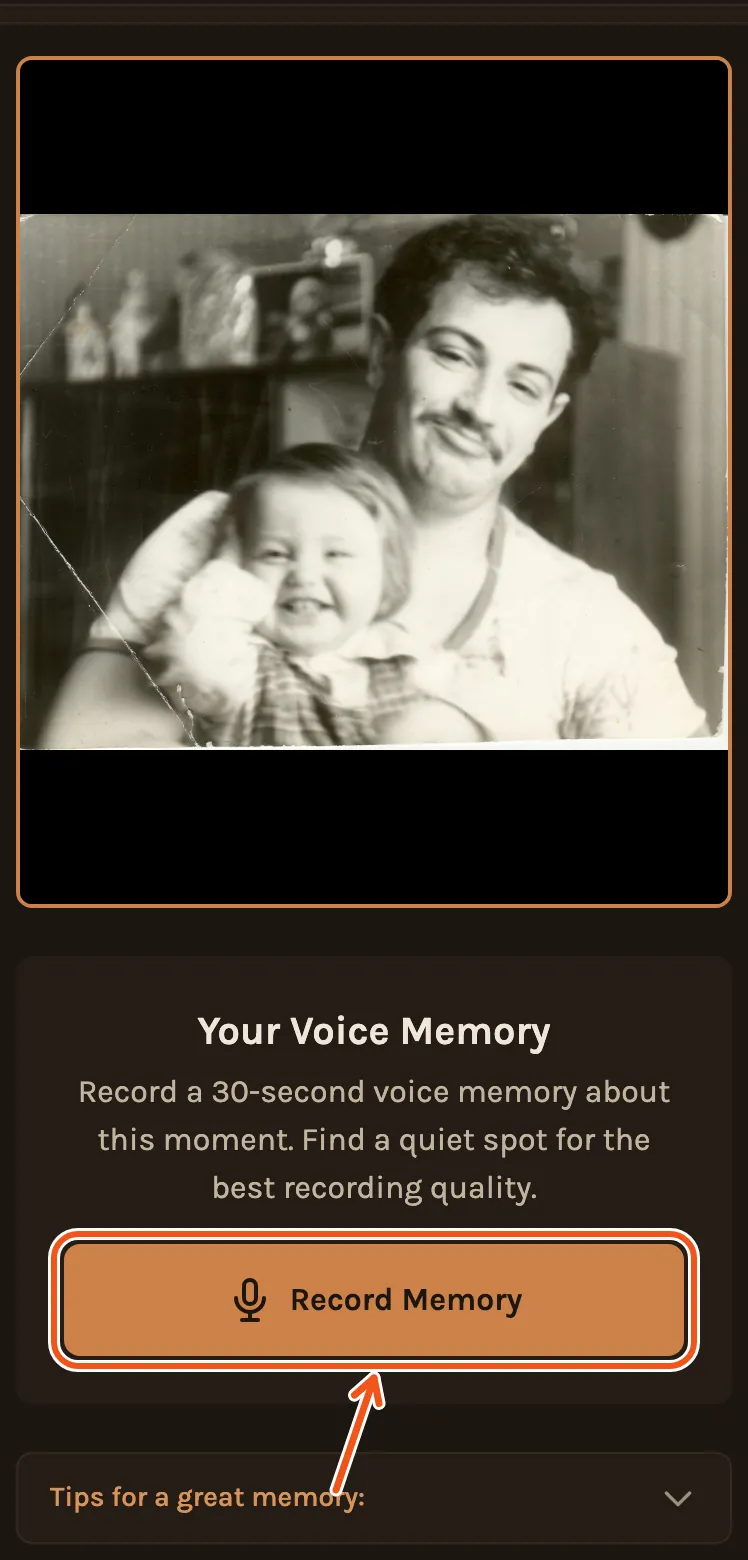
What the relative sees on their phone: young Leonid holding his baby son, and Your Voice Memory, with Record Memory marked.

Their phone asks to use the microphone; they allow it. They tap Start Recording, talk, and tap Stop Recording. It stops by itself at 30 seconds.
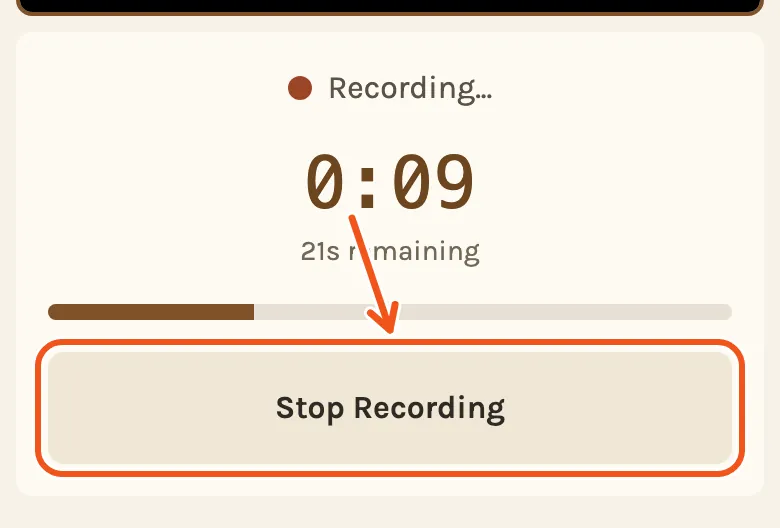
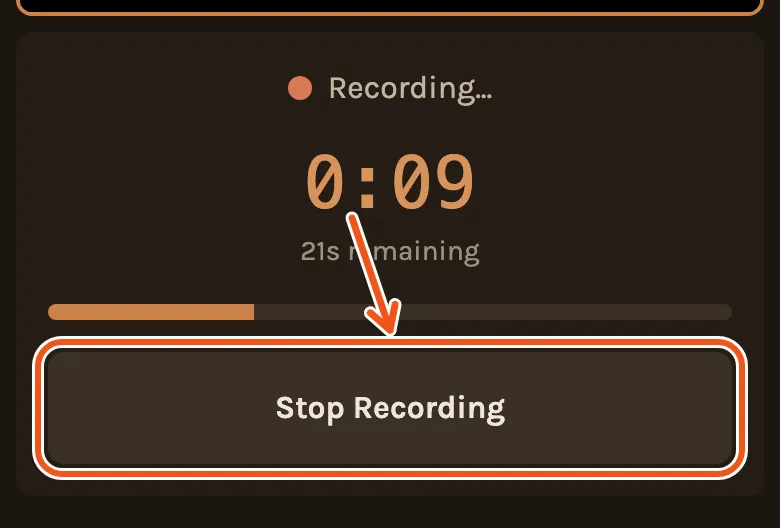
Recording on the phone, the time counting and the seconds left, with Stop Recording marked.

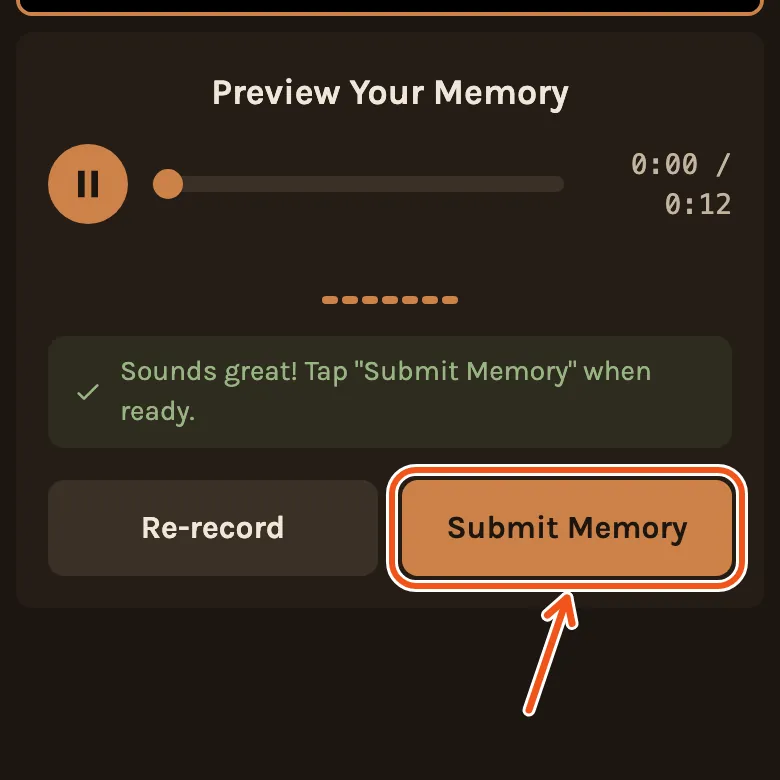
They can play it back. If it sounds right, they tap Submit Memory, or Re-record to try again.
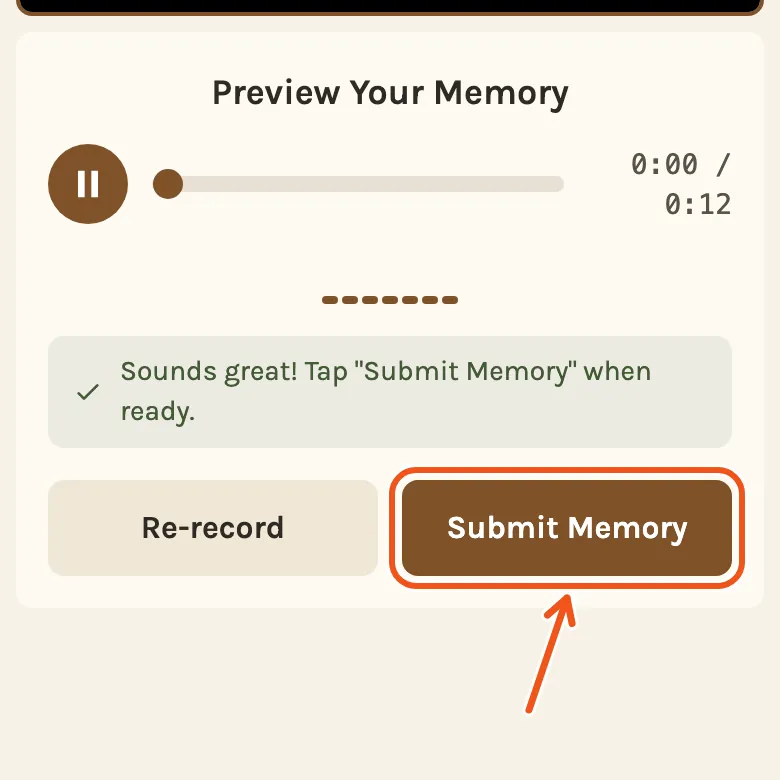
Preview Your Memory: Sounds great! with Submit Memory marked.
Thank You! Your memory has been submitted successfully.

When it arrives

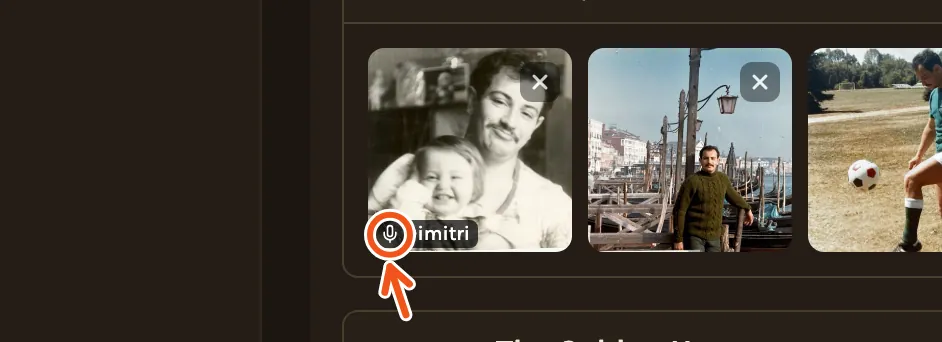
You get an email. On the Timeline the photo now has a small microphone mark.
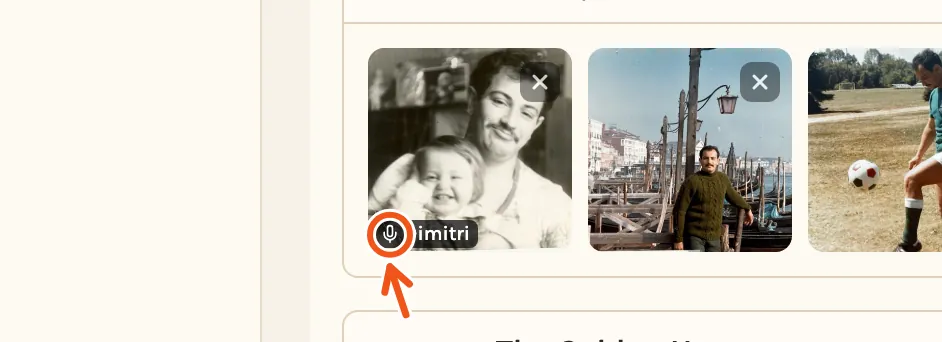
The photo on the timeline with a small microphone mark and the name Dimitri, the mark marked.

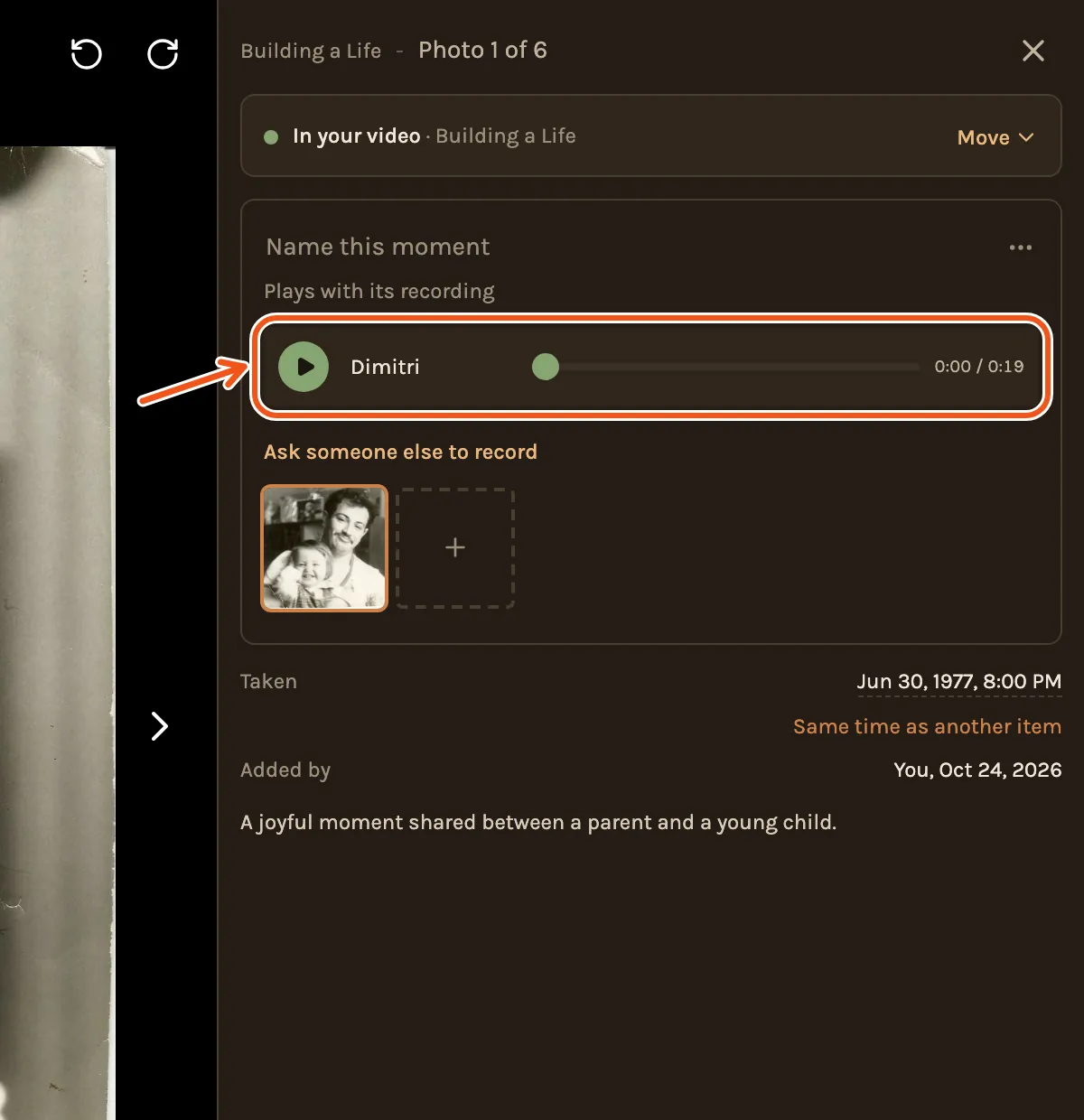
Click the photo to hear it and see who recorded it.
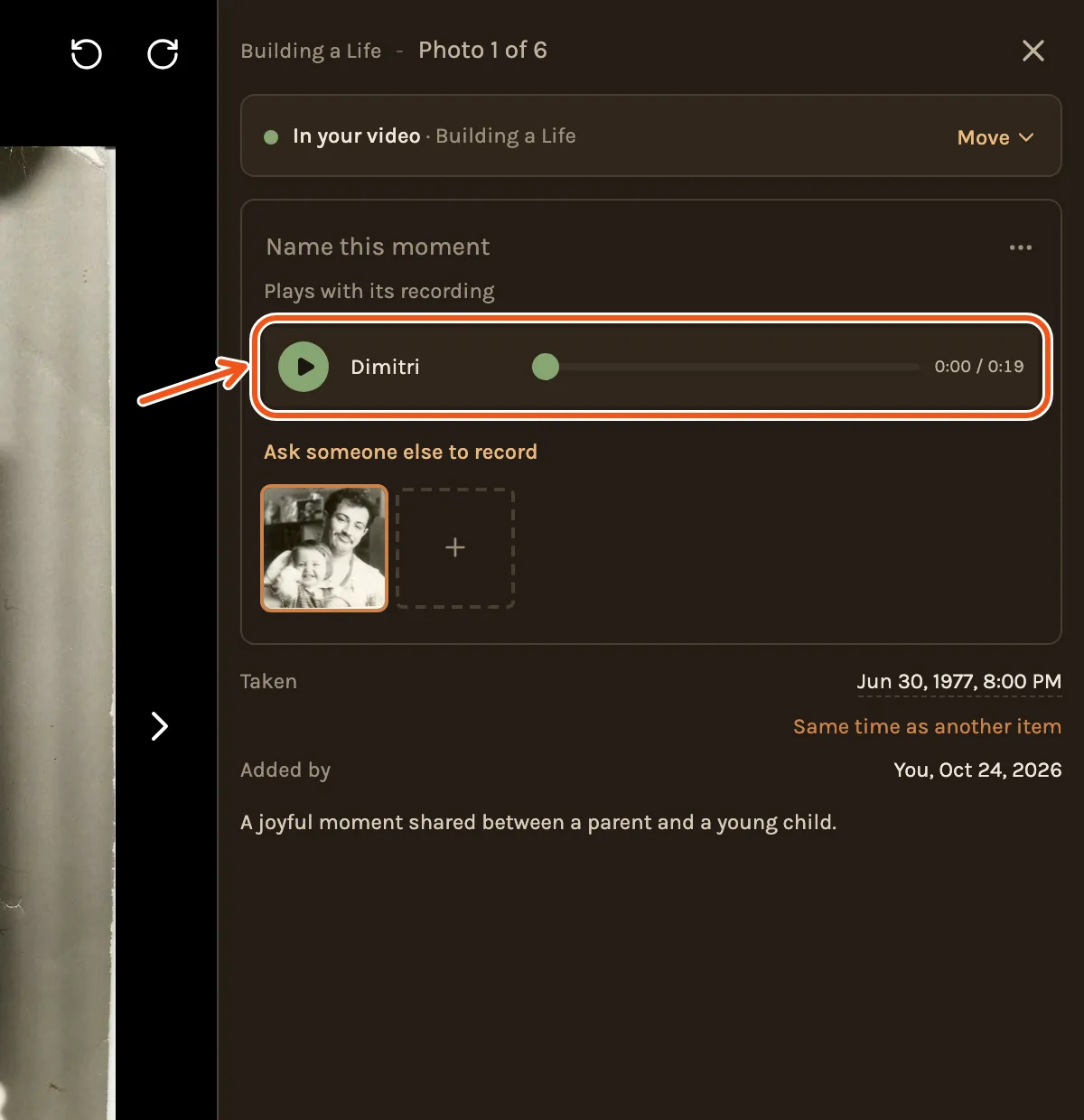
The photo opened, its card showing the recording by Dimitri with a play button and its length, marked, and Ask someone else to record below.

The first recording on a photo goes into the film by itself. If more come in for the same photo, you choose which one to use in that photo's panel.

Questions people ask

No. They open the link you send and record in their browser.

Up to 30 seconds. It plays over its photo, which stays on screen for as long as they talk.

One small story about that photo works best: where it was, what happened that day, or what the person was like then.